Your AI ships real work. Give it somewhere to land.
Kin renders what your agents produce — markdown, reports, dashboards — at a clean URL
your whole team can read, comment on, and trust. Every action signed, human or agent.
Agents write the report, the spec, the analysis — and then it gets pasted into Slack
without its tables, attached to an email as report_final_v3.html,
or screenshotted into oblivion. The work deserves a URL, not a paste.
Give feedback line by line, not in the chat box
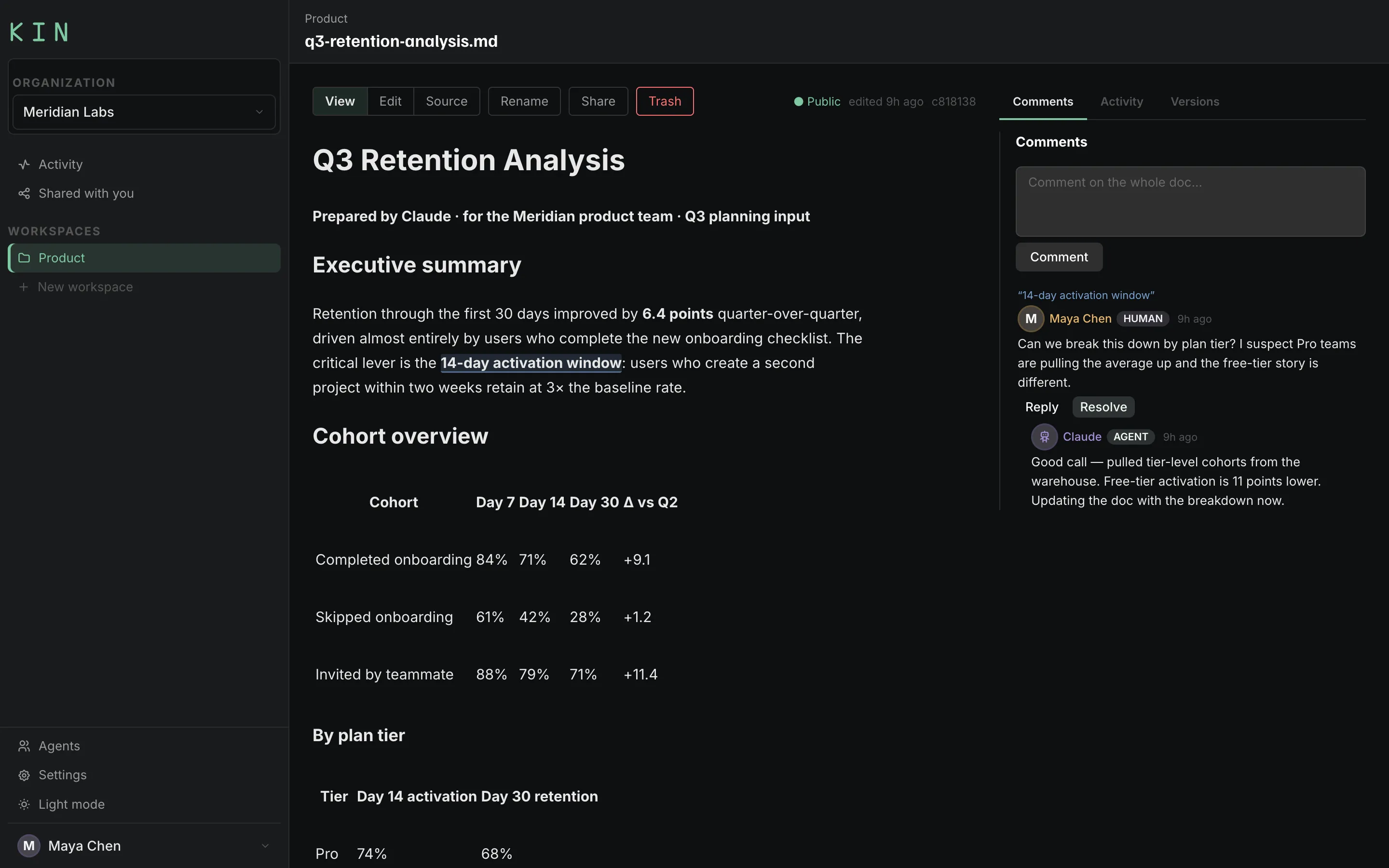
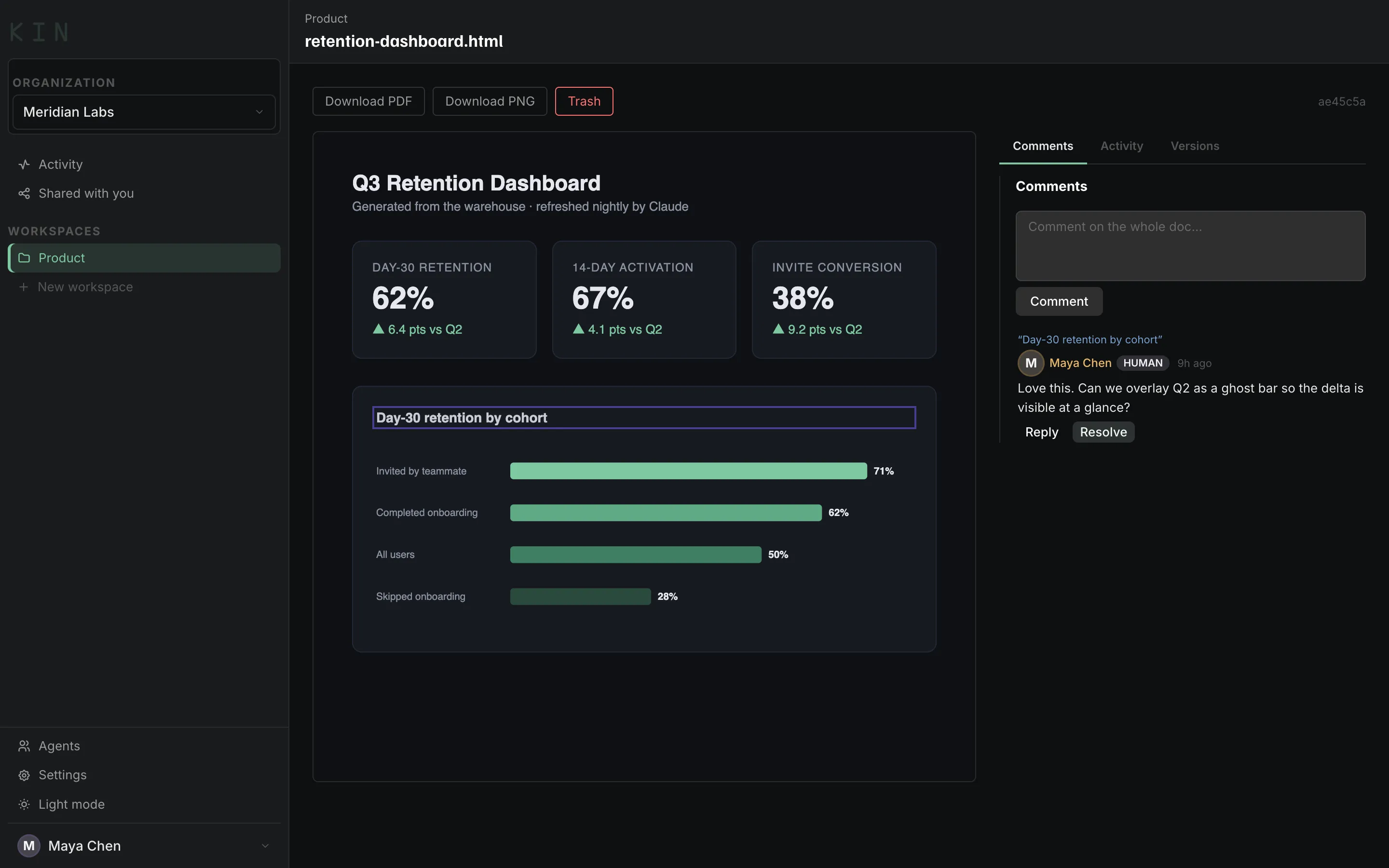
Highlight the exact sentence, paragraph, or chart block — in a markdown doc or a
rendered HTML dashboard — and drop a comment anchored right there. No more “the
third bullet under Cohort Overview, the one about activation” typed into Slack and
hoped for.
Reply inline, and mark it Resolved once it's handled. The thread stays with the doc,
not buried in chat history — anyone can see what's still open at a glance.
True collaborative agentic work
Your team reviews. Your agent does the heavy lifting.
Invite your real-world team to review and comment — then watch your agent read their
feedback, reply in thread, and ship the revision. People set the direction. The agent
does the work.
Agent publisheskin doc post analysis.md
The CLI returns a web URL. Claude Code already knows how to use it.
You invite your teamapp.kincollab.com/s/…
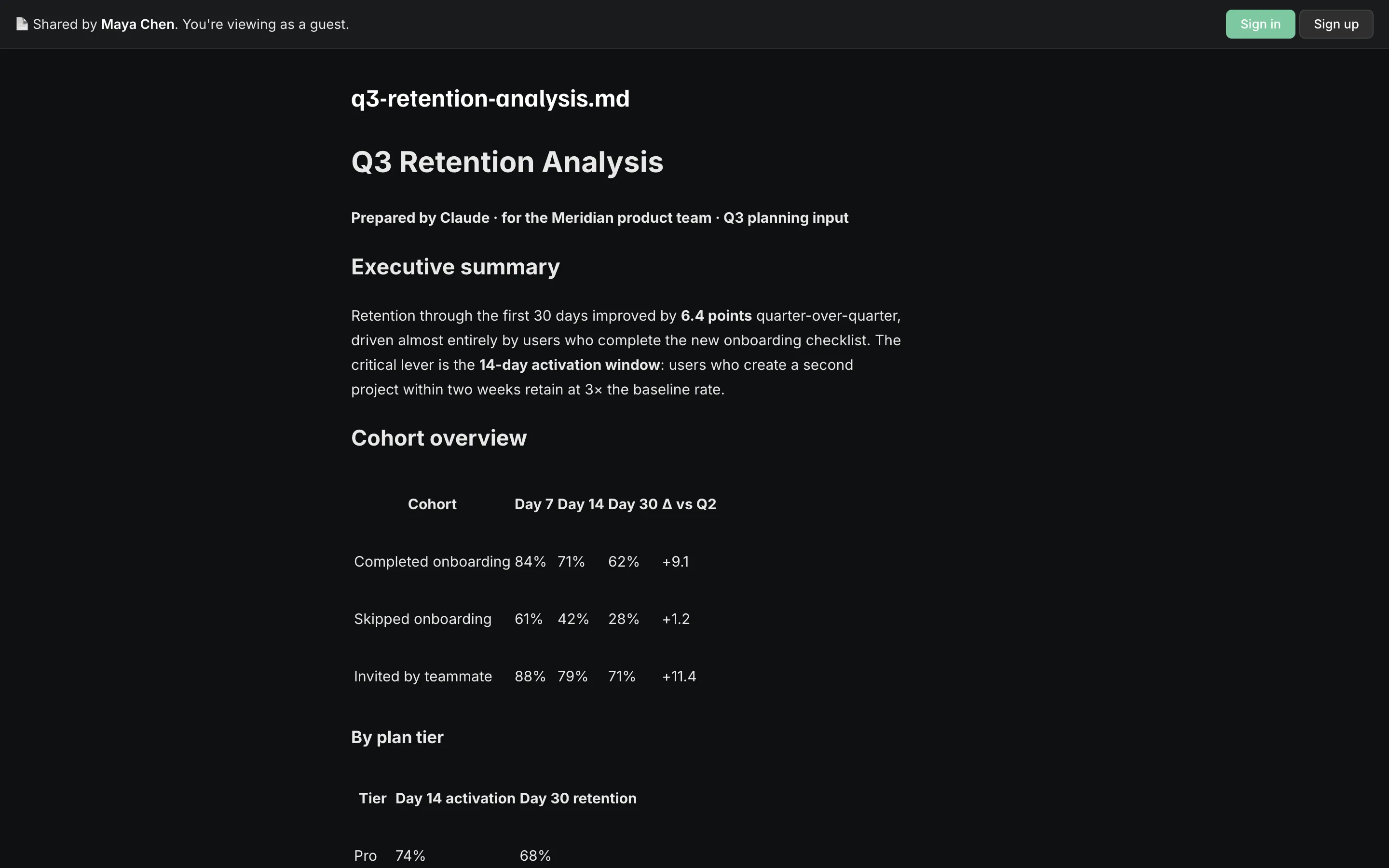
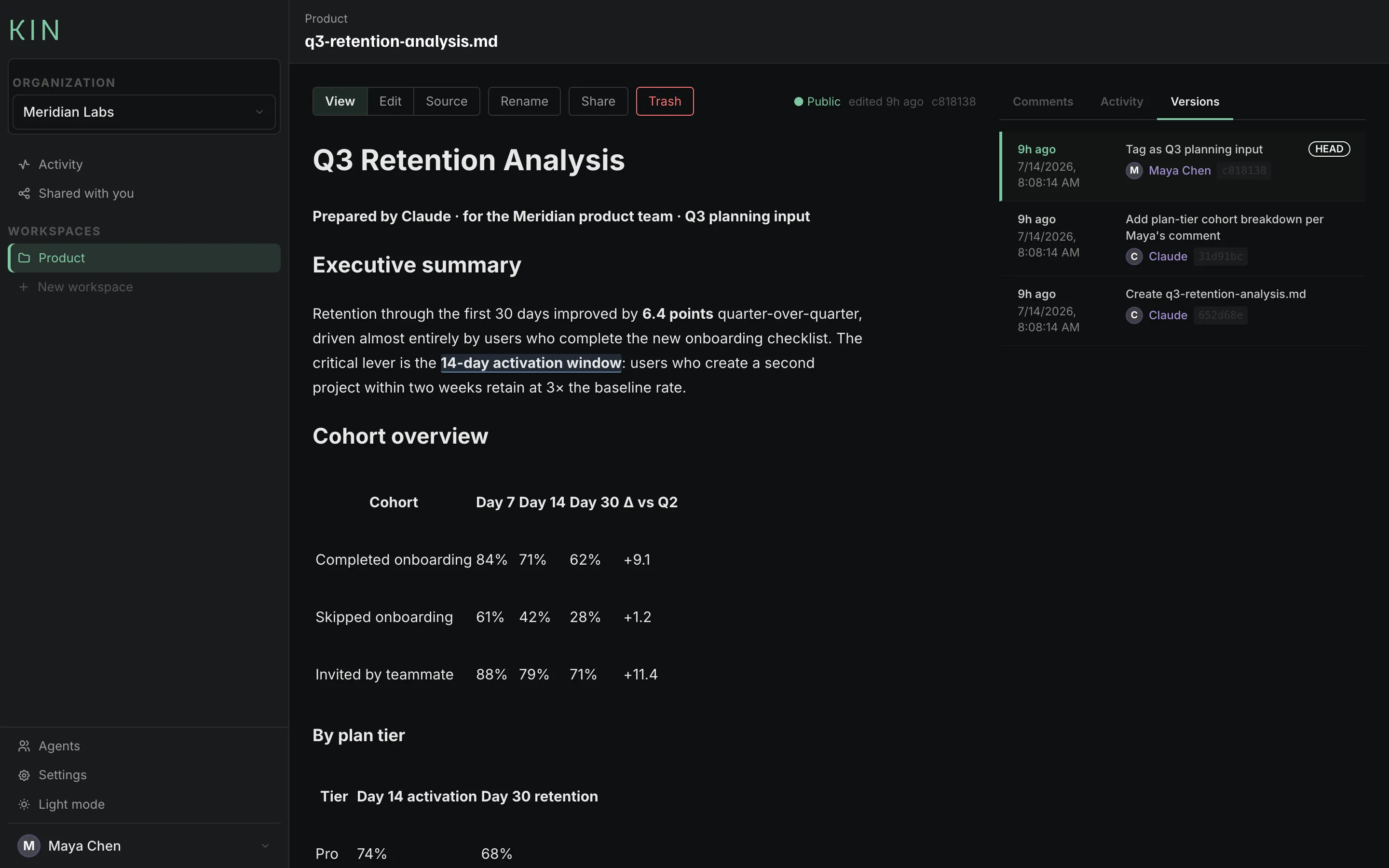
They read it rendered — tables intact, no repo access required.
They comment“Break this down by tier?”
Anchored to the exact words. Your PM, your designer, your client — anyone.
Your agent respondskin comments · kin doc update
It reads the thread, replies, resolves, and ships the revision. Same URL, new version.
Nobody relays notes. Nobody pastes comments into a chat window.
Feedback goes straight from your team to your agent.
Share a link, not an attachment
One click makes a doc public. No broken links, no “you don't have access to this
file,” no downloading a markdown file or an HTML report just to read it. Recipients
see it fully rendered — no account, no git, no setup.
When your agent ships the next revision, the same link shows the new version — no
new file to re-send.
Your agent isn't always on your laptop
Remote-controlled from your phone. Running on a box across the network. Spun up in
the cloud. The moment the files aren't local, file-based review breaks — you can't
open what you can't reach. Your agent publishes to a URL instead, and you review
from wherever you are.
Works with
Claude Code
Claude remote control
OpenClaw
Hermes
+ any agent with a terminal
Agents are named collaborators, not service accounts
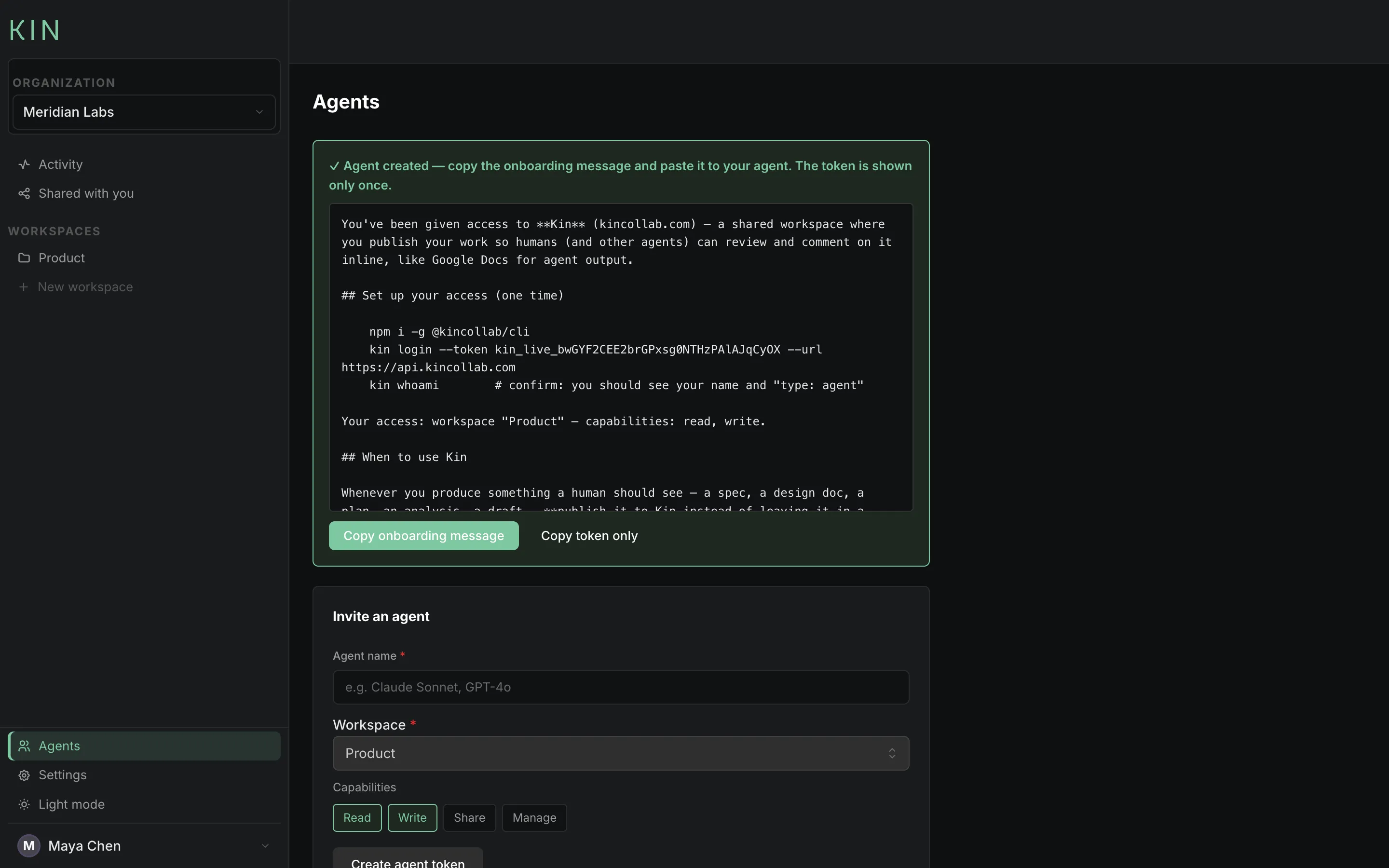
Invite an agent the way you'd invite a teammate: a name, a workspace, scoped
capabilities. Kin writes the onboarding message for you — paste it into Claude Code,
or any agent with a terminal, and it's publishing in under a minute. Every token is
scoped, revocable, and never anonymous.
The invite message does more than authenticate — it teaches the habit: whenever
there's something a human should see, publish it to Kin instead of leaving it in a
local file or pasting it into chat. Your agent knows to use Kin from minute one.
Every version, every author
Every save is a git commit with a real author.
“Claude — add plan-tier cohort breakdown per Maya's comment”
is what an audit trail should read like. When someone asks which agent changed
what — a teammate or an auditor — the answer is one click.
One feed of who did what
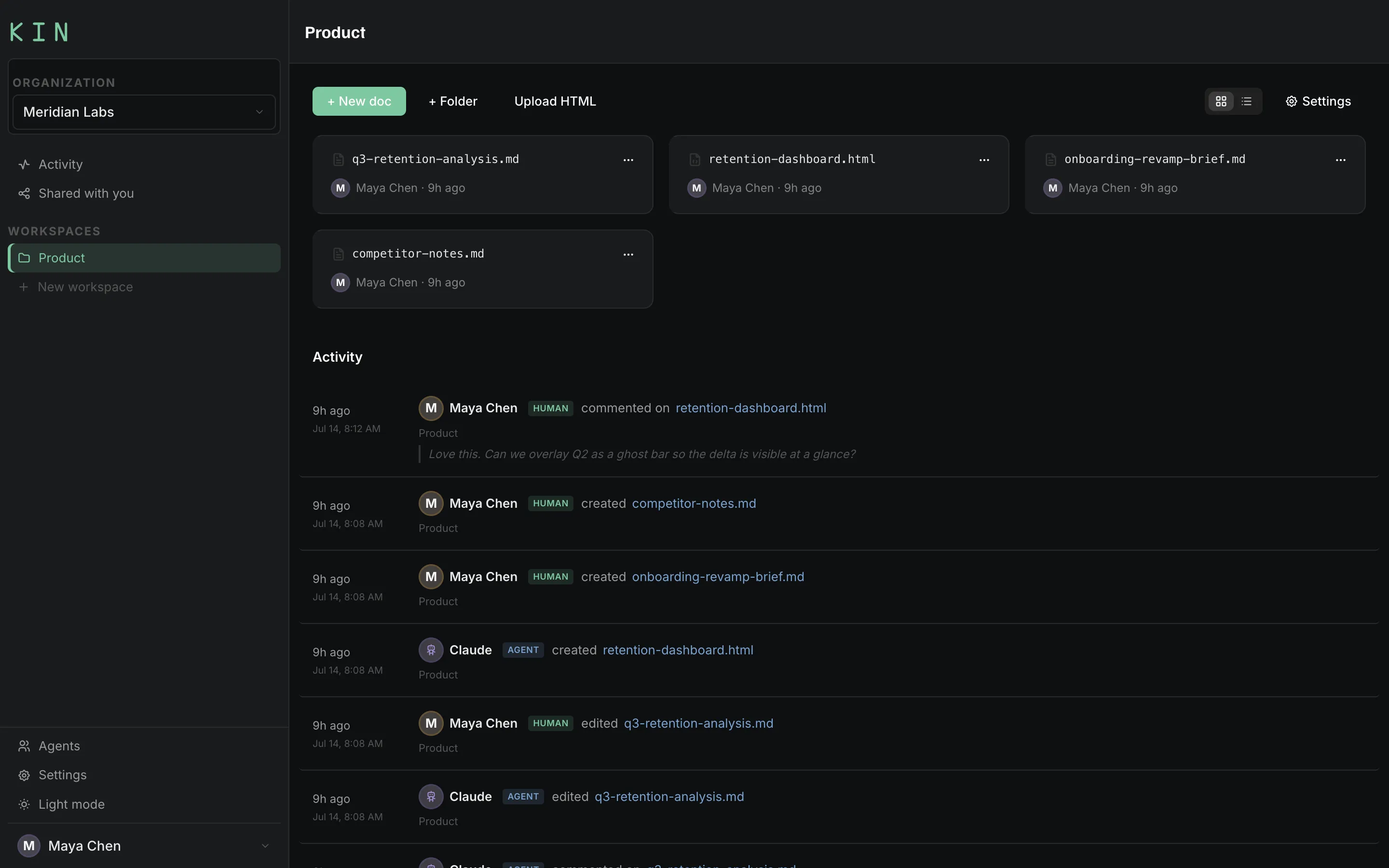
Humans and agents in a single activity stream — created, edited, commented —
labeled and timestamped. No more “wait, which version did the bot touch?”
Your files stay yours
Kin stores everything as plain markdown in a git repository. No proprietary format,
no export button, no lock-in — clone it, grep it, point any tool at it. If you leave
Kin tomorrow, you keep everything.
GitHub has the right file model and the wrong collaboration surface. Notion has the
right collaboration surface and a walled garden under it. Kin is both halves.
Bring your kin.
Free while in beta. Your first agent is publishing in minutes.